Yomitomo vs Readwise Reader: a local, open-source alternative
Yomitomo is a free, open-source desktop option for reading PDFs, EPUBs and web articles with passage-level notes and AI discussion. Readwise Reader is a better fit when you need a reading queue across mobile and desktop, RSS feeds, or automatic highlight exports to other tools. Choose around the workflow you use every day.
Maintained by the Yomitomo project. Yomitomo features refer to v0.16.2. Readwise information was checked against its official product and pricing pages on October 3, 2026.
Compare the workflows
Section titled “Compare the workflows”| Need | Yomitomo | Readwise Reader |
|---|---|---|
| Devices | macOS and Windows desktop | Web, desktop and mobile apps |
| Reading material | PDF, EPUB, web articles, text and WeRead notes | Articles, PDFs, EPUBs, newsletters and RSS |
| Reading data | Stored on your computer | Synced through a Readwise account |
| AI | Your configured model API or compatible local model; discussion attached to passages | Built-in Ghostreader tools |
| Notes in other tools | Copy text manually; no automatic Obsidian/Notion export | Highlight export integrations |
| Cost | Free application; external model providers may charge for usage | Subscription; see current pricing |
Readwise features are described on the official Reader page. This guide is maintained by Yomitomo and is not an independent benchmark.
What reading in Yomitomo looks like
Section titled “What reading in Yomitomo looks like”Import a document, select a passage and press the default A shortcut to create a highlight. Add your own note, then open its discussion and mention a reading assistant. The discussion stays attached to the source passage so you can return to the surrounding text.
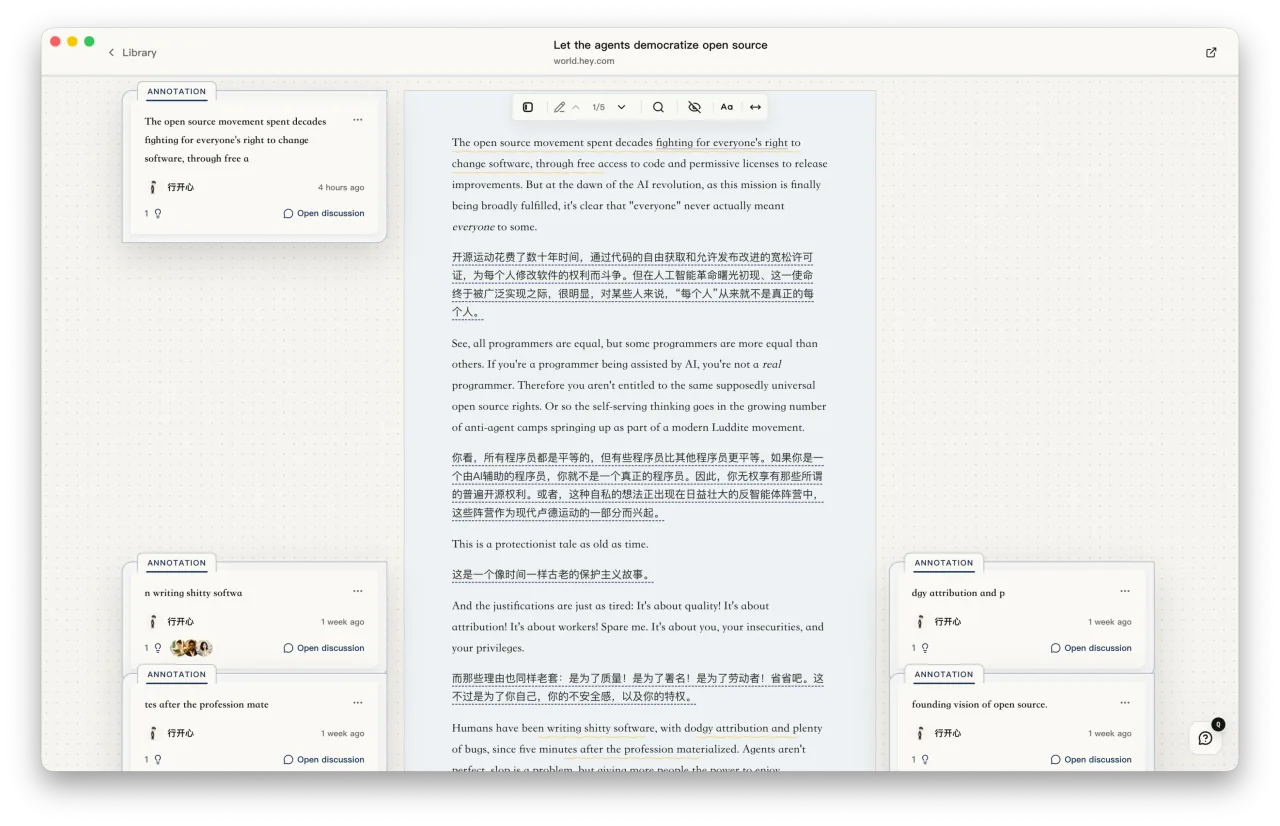
When you want a longer conclusion, use the distillation workspace to edit a draft and request a review. You remain responsible for checking the model’s claims against the original material.
Can I migrate my Readwise library?
Section titled “Can I migrate my Readwise library?”There is no direct Readwise account connection or importer for its CSV highlight archive. Importing the original PDF or EPUB does not restore the highlights you made in Readwise.
You can import supported original documents. You can also import Markdown or plain-text notes as text documents, but this does not recreate their original passage anchors or discussion threads. Try one document and keep your existing library before deciding how much to move.
See the library and import guide for supported file types and import limits.
What does local storage mean for AI privacy?
Section titled “What does local storage mean for AI privacy?”Reading data is stored locally. If you configure a remote model, the context needed for that AI task is sent to that endpoint. A model running on your own computer can handle inference locally; it does not make every application feature independent of the network.
For a local setup, follow the Ollama reading guide. For backups and optional anonymous usage metrics, see settings and data.
Try it with one document
Section titled “Try it with one document”Start with a PDF or EPUB you already own. Make one highlight, write a note, and try a discussion using your chosen model. Check whether that workflow is useful before migrating more material.