Library and Import
The Library is the central hub for all your reading materials. Web articles, ebooks (EPUB/AZW3/MOBI), PDF documents, Markdown/text files, WeRead highlights, and collections are organized neatly so you can transition into the right reading experience with ease. You can customize which sources appear on the home view in Settings. Deleting items requires confirmation, and actions are accompanied by toast alerts and optional tactile sound effects.
Collections
Section titled “Collections”Collections group related reading items together by topic, project, or custom reading list. A collection never duplicates source files; it simply creates a lightweight membership index across your existing materials.
Create a Collection
Section titled “Create a Collection”- Click the “+” button in the top-right corner of the Library.
- Select “New collection”.
- Enter a collection name (e.g., “Distributed Systems”).
The newly created collection opens immediately. You can rename it anytime from its card menu via “Edit collection name”.
Add Items to a Collection
Section titled “Add Items to a Collection”A collection can hold web articles, ebooks, PDFs, plain text, and WeRead titles. You can add items in two ways:
- Pick from Collection View: Inside the collection, click “Add to this collection” and select existing items from your library. The selector supports type filtering and keyword search; click “+” on individual items or drag them into the “Pending” tray on the right.
- Drag and Drop: From the main library grid, drag any reading item card directly onto a collection card.
To remove an item, open its card menu inside the collection and choose “Remove from collection”. This only removes the membership link—the original item remains intact in your library.
Covers and Pinning
Section titled “Covers and Pinning”A collection card displays an aesthetic cover stack compiled from up to 9 member covers, along with a badge showing the item count. Empty collections display a subtle placeholder cover. You can “Pin” frequently accessed collections or essential reading items so they always stay anchored at the top of your library.
Delete a Collection
Section titled “Delete a Collection”Deleting a collection only removes the grouping itself and its membership links. All articles, ebooks, and PDFs contained within remain safe in your library.
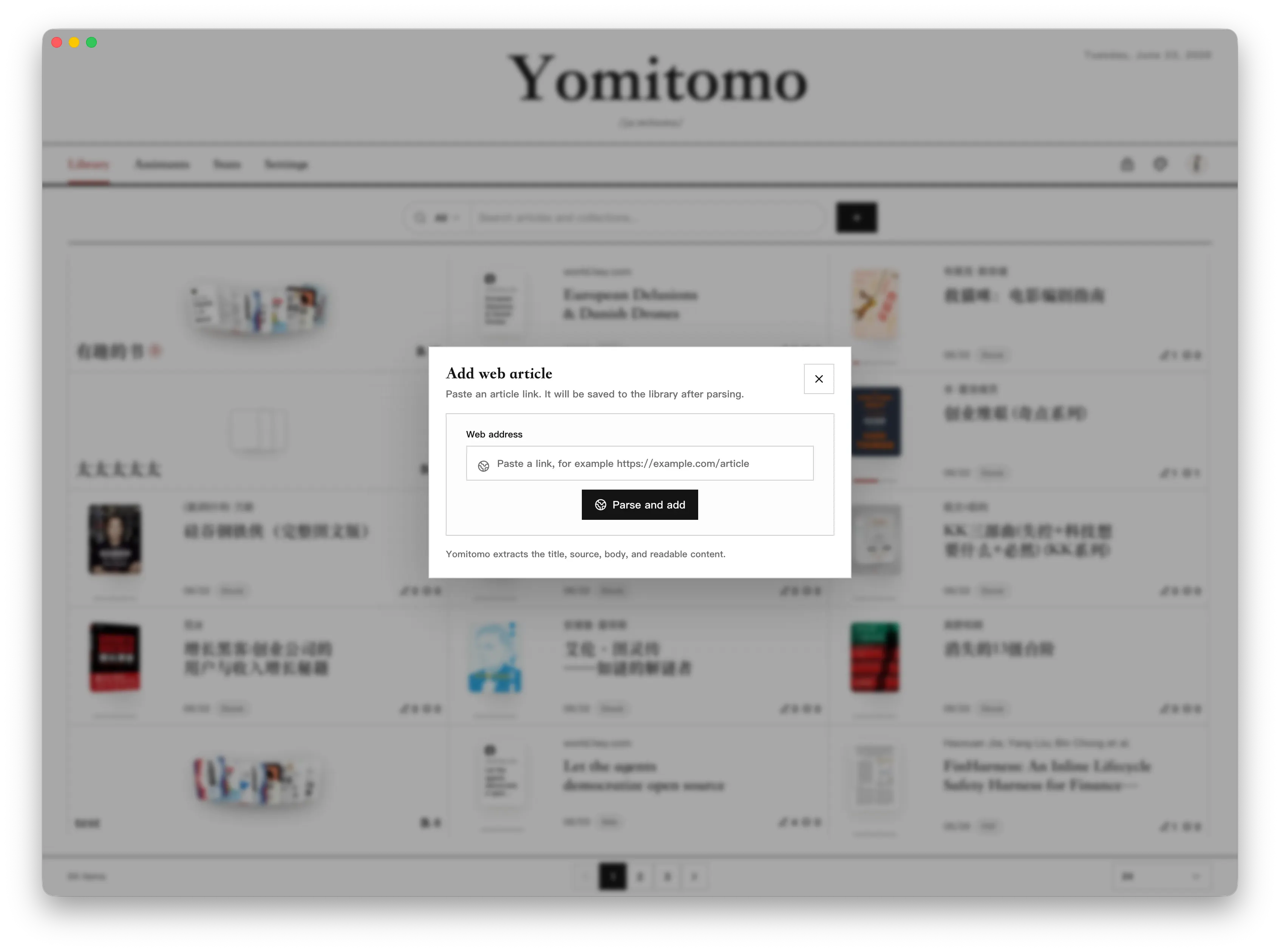
Import Web Articles
Section titled “Import Web Articles”- Click the “+” button in the Library.
- Select “Add Web Page”.
- Paste any article URL starting with
http://orhttps://. - Yomitomo will automatically extract the clean title, author, body text, and images.
For dynamically rendered web pages, Yomitomo uses an internal headless engine to render the DOM before content extraction. For local security, loopback (localhost), private intranet, and cloud metadata addresses are blocked by default, and HTML responses exceeding 5 MB are rejected.
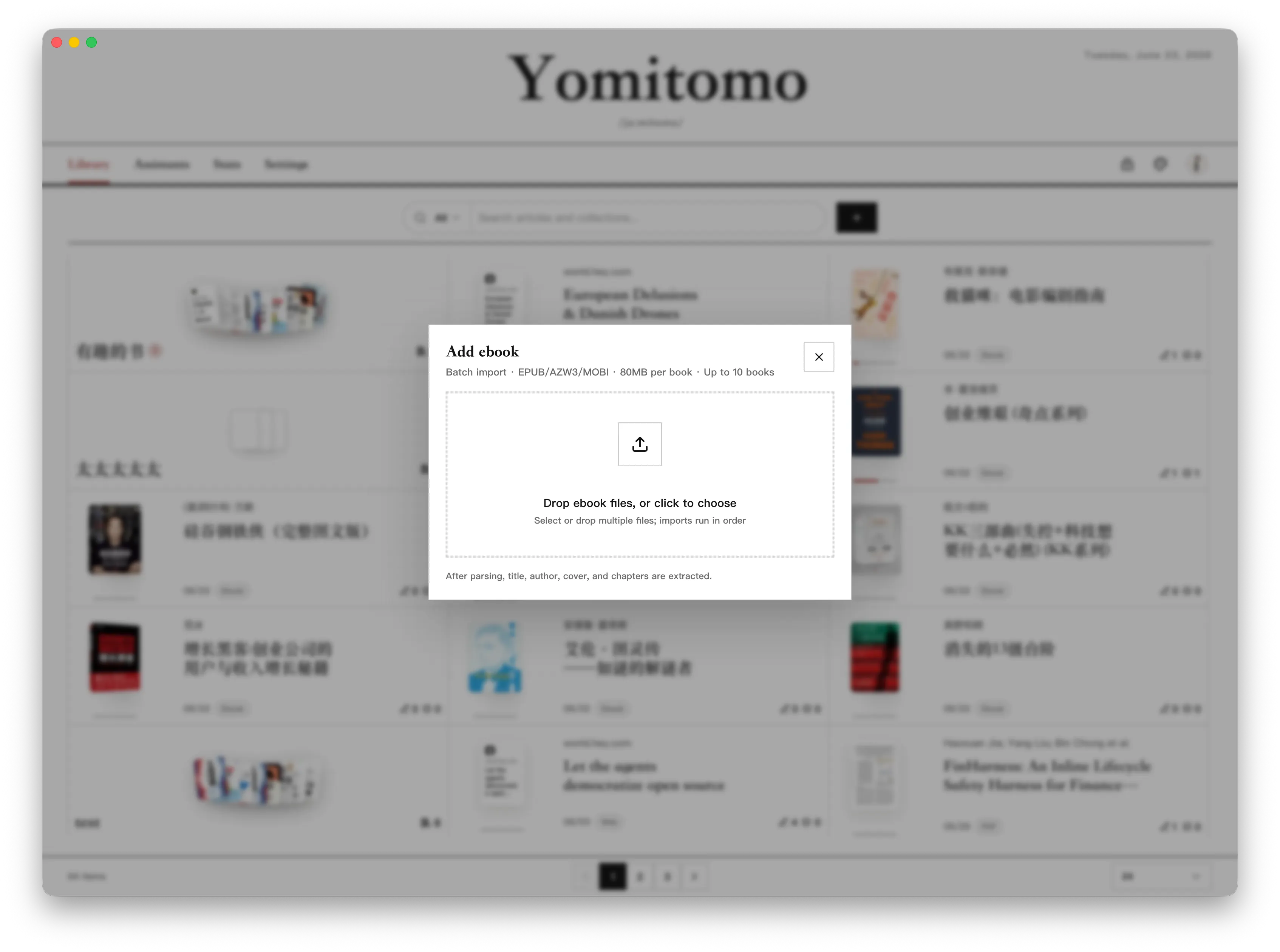
Import Ebooks
Section titled “Import Ebooks”- Click the “+” button in the Library.
- Select “Ebook file”.
- Choose or drag in local
.epub,.azw3, or.mobifiles.
Yomitomo parses covers, hierarchical tables of contents, chapters, and rich typography. Batch imports support up to 10 books at once, with an 80 MB file size limit per book. DRM-encrypted or excessively large decompressed files cannot be imported.
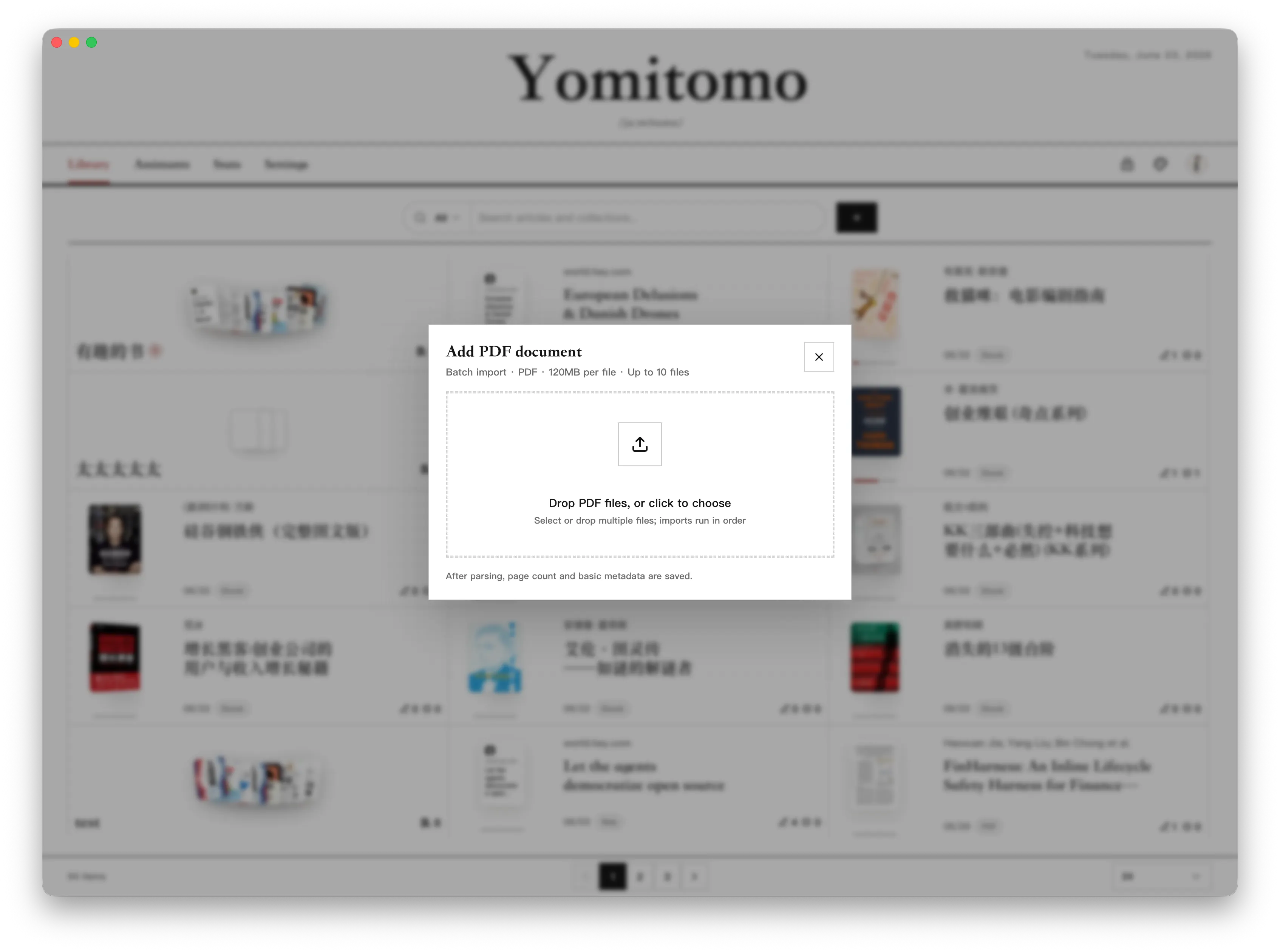
Import PDFs
Section titled “Import PDFs”- Click the “+” button in the Library.
- Select “PDF Document”.
- Choose or drag in local
.pdffiles.
PDF import supports batches of up to 10 files at once, with a 120 MB limit per file. Once imported, the card displays page count, filename, and essential metadata. If an identical PDF is imported again, Yomitomo detects the duplicate and allows you to open the existing entry directly.
Import Text and Markdown
Section titled “Import Text and Markdown”- Click the “+” button in the Library.
- Select “Text file”.
- Choose “Paste text” for quick pasting, or “Upload files” to pick or drag local
.txt/.mdfiles (batch selection supported).
Text imports include an instant metadata review: Yomitomo detects character encoding and automatically extracts the title (Markdown prefers YAML Front Matter or the first H1 header; plain text uses filename or the first line). You can confirm or edit the title and author before finalizing.
Markdown YAML Front Matter renders as a metadata banner at the top of the reader. Content is sanitized, and remote images are blocked from automatic background fetching. Text documents feature custom manuscript-themed covers and can be filtered or grouped into collections like any other item.
Filter, Search, and Sort
Section titled “Filter, Search, and Sort”The Library lets you filter items by reading status:
- All
- New
- Reading
- Finished
You can also filter by multiple content types: Collections, Web, Ebooks, PDFs, Text, and WeRead. Selected filters appear as removable chips. Filter states, active search queries, and your current collection view persist across navigation so you never lose your place.
Sort by Recently Read, Recently Added, Annotation Count, or Discussion Count, with real-time keyword search across titles and authors.
Local Storage and Offline Images
Section titled “Local Storage and Offline Images”All reading data is stored securely in your desktop application data directory. Enabling “Save images locally” downloads article illustrations directly to your disk upon web import, protecting your reading experience against broken links or removed source media.